Reading Out Loud
Focused Elements:
You can have these explanations read out loud by clicking on 'Speak Explanation' (access key 'a')
These controls are to provide alternative means of accessing the information on this page. Two main facilities are provided: adjusting the text size and listening to the text on the page.
1) Adjusting Text Size:
You can increase the text size by clicking on 'Larger' (access key '+'), and reduce it by clicking on 'Smaller' (access key '-'). You can reset the size back to its original value by clicking on 'Reset' (access key 'j')
2) Listening to the Text
You can adjust the pitch of the spoken word, the rate or speed of delivery and the volume. You can also choose the voice to use by clicking on the drop-down list. The default voice is whatever is the standard for the computer and browser you are using.
To set your default, please refer to the description in the Accessibility Statement.
There are normally three sections of text on the page that you can listen to: the headings, the main text and a selection. Click on 'Speak Headings to speak the page headings (access key 'l'). Click on 'Speak Main Text' (access key 'q') to listen to the main text.
You can also select an area of text in the page using standard select methods and click on 'Speak Selection' (access key 'w') to read the selection aloud.
You can enable the reading out loud of the element that currently has focus by clicking on 'Start Focus Speaking' (access key 'f') and you can stop this by clicking on 'Stop Focus Speaking' (access key 'd').
You can pause the audio by clicking on 'Pause' (access key 'r') and resume by clicking on 'Resume' (access key 't').
To cancel or stop the audio click on 'Cancel' (access key 'y'). To restart the current audio from the beginning, click on 'Restart' (access key 'k').
To hide the accessibility controls click on 'Hide Panel' (access key 'h')
To hide this explanation click on 'Hide Explanation' (access key 'x')
Widecombe-in-the-Moor
Widecombe Local History Miscellaneous Topics
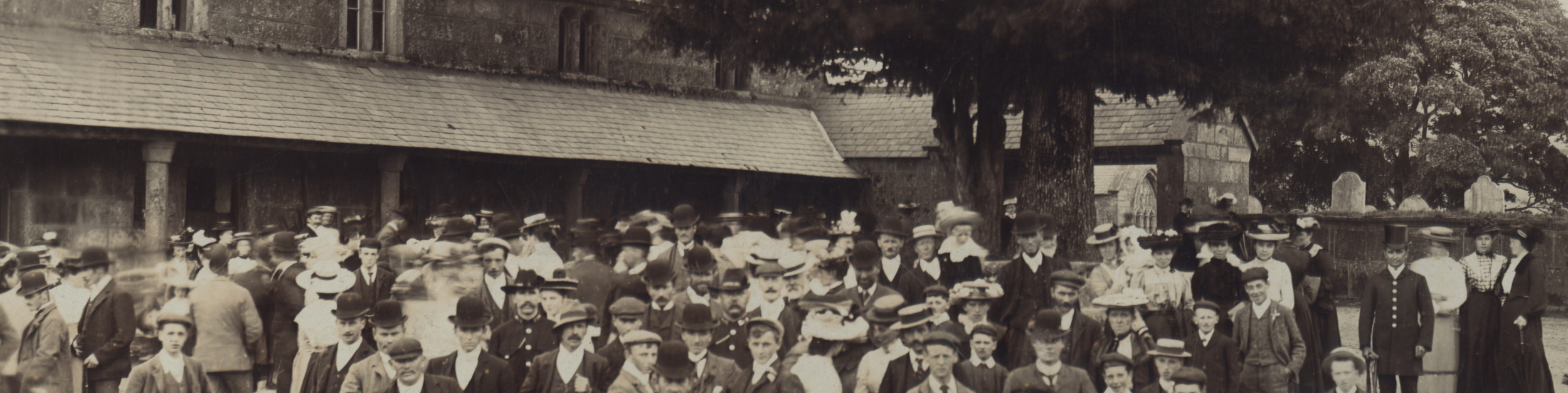



This page is the second Miscellaneous Topics page. Other topics can be found by visiting the Miscellaneous Topics Home Page.
Old Village Sign
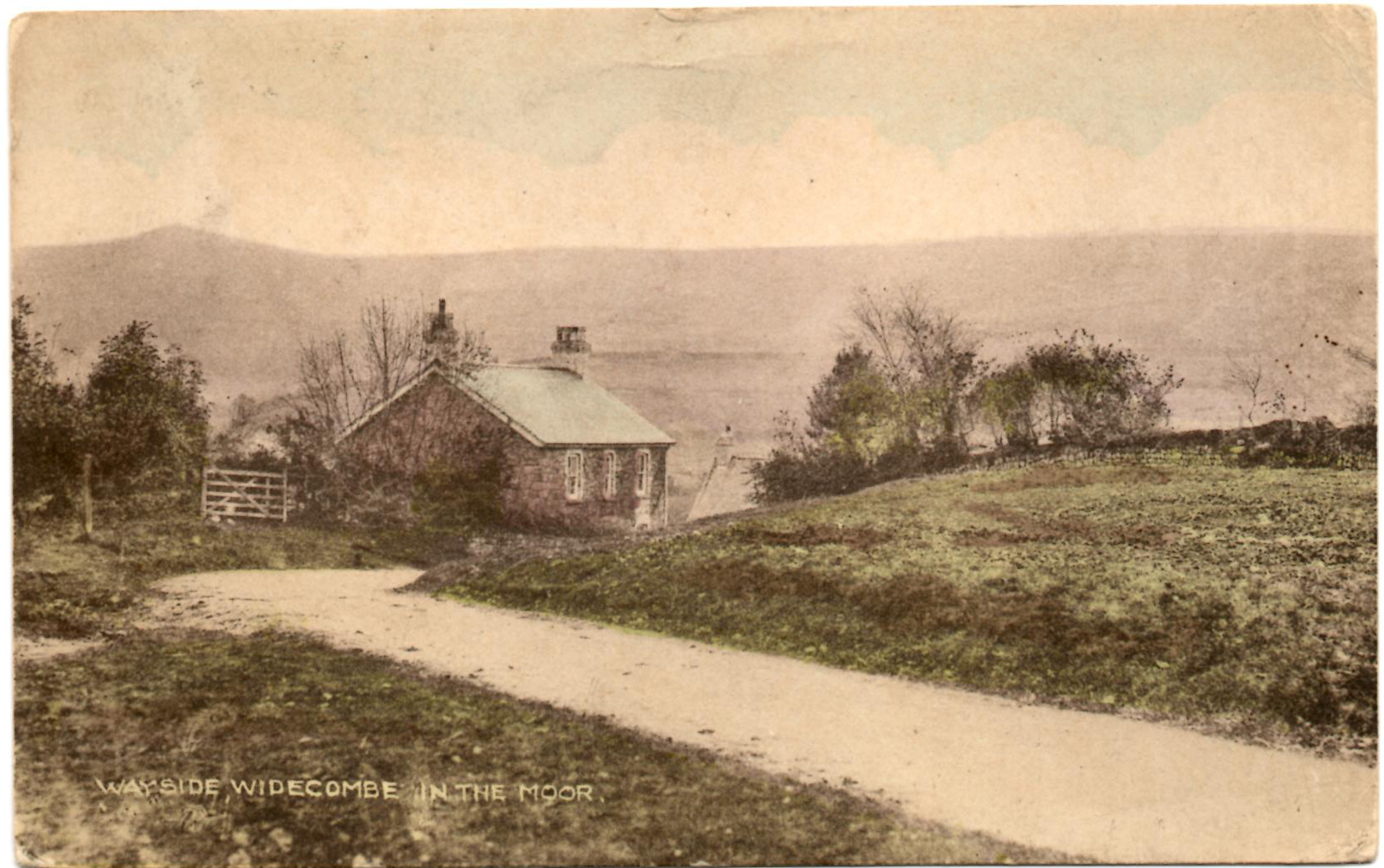
This is the view towards Wayside taken, we believe, before the sign was erected.
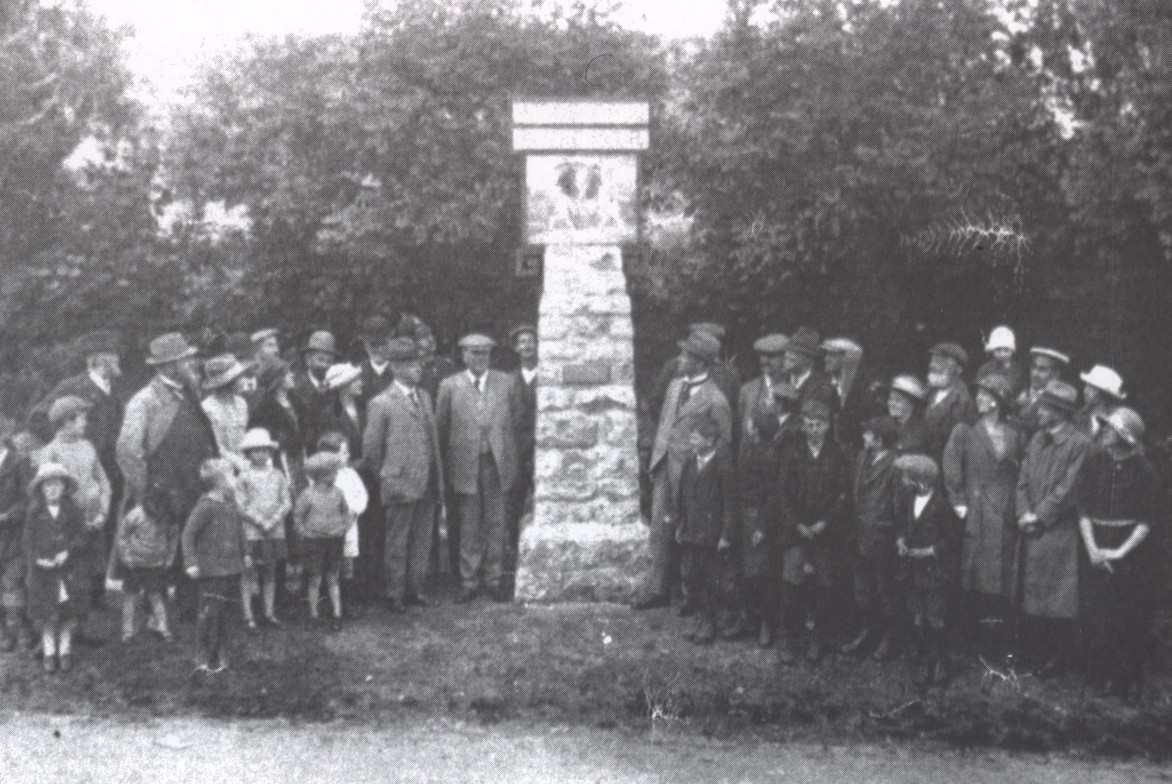
This is what the sign originally looked like in 1922 (right) when it was unveiled (picture from the Widecombe Archive - also found in Stephen Wood's book on Widecombe.)
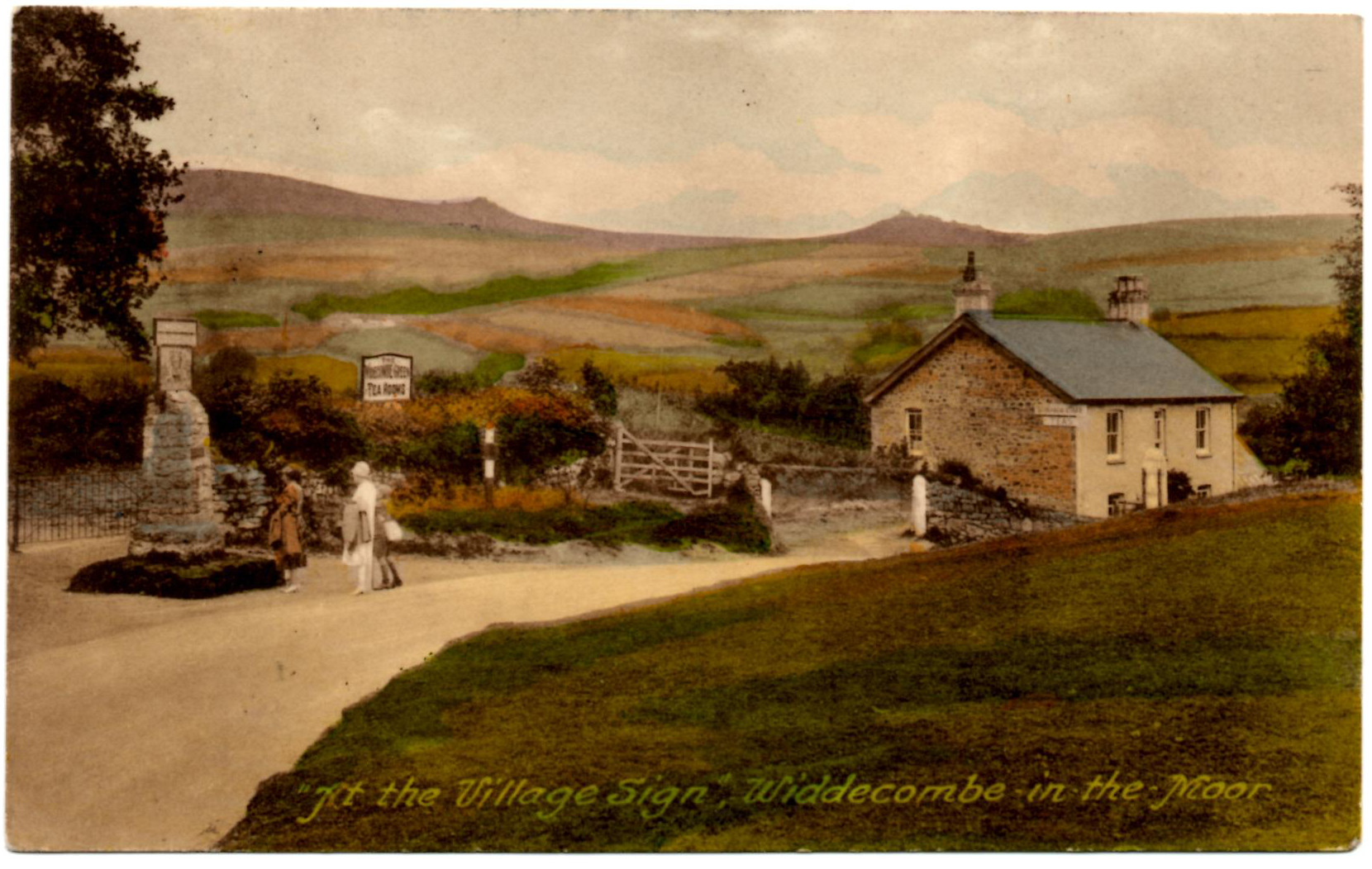
This is a good early side-view of the sign.
There was originally a field behind the sign. By 1926 the café had been built on the south-western corner of the field and the area to the east of the café was set aside as a car park for the charabancs etc that were regular visitors to Widecombe.
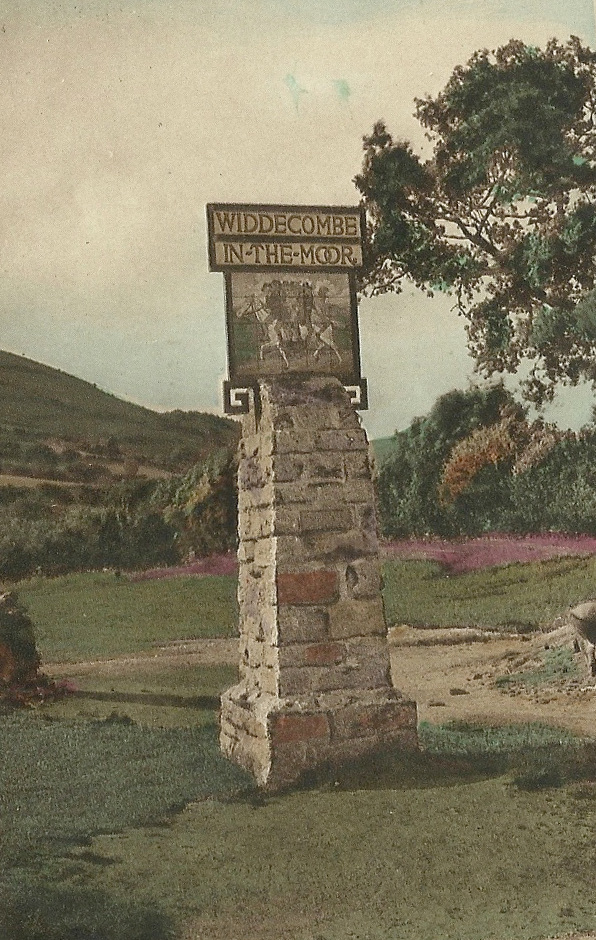
Obviously a car park needs entrance gates and so the hedge/bank was largely removed to make way for the development. The sign rather got in the way as evidenced by a legal dispute between the café owner and the Parish Council about charabancs etc driving over Widecombe Village Green to get to the car park and a comment by the owner that things would be much easier once the sign was moved. Parish Council minutes for this period may shed more light – but this requires a trip to the record office where they are housed.
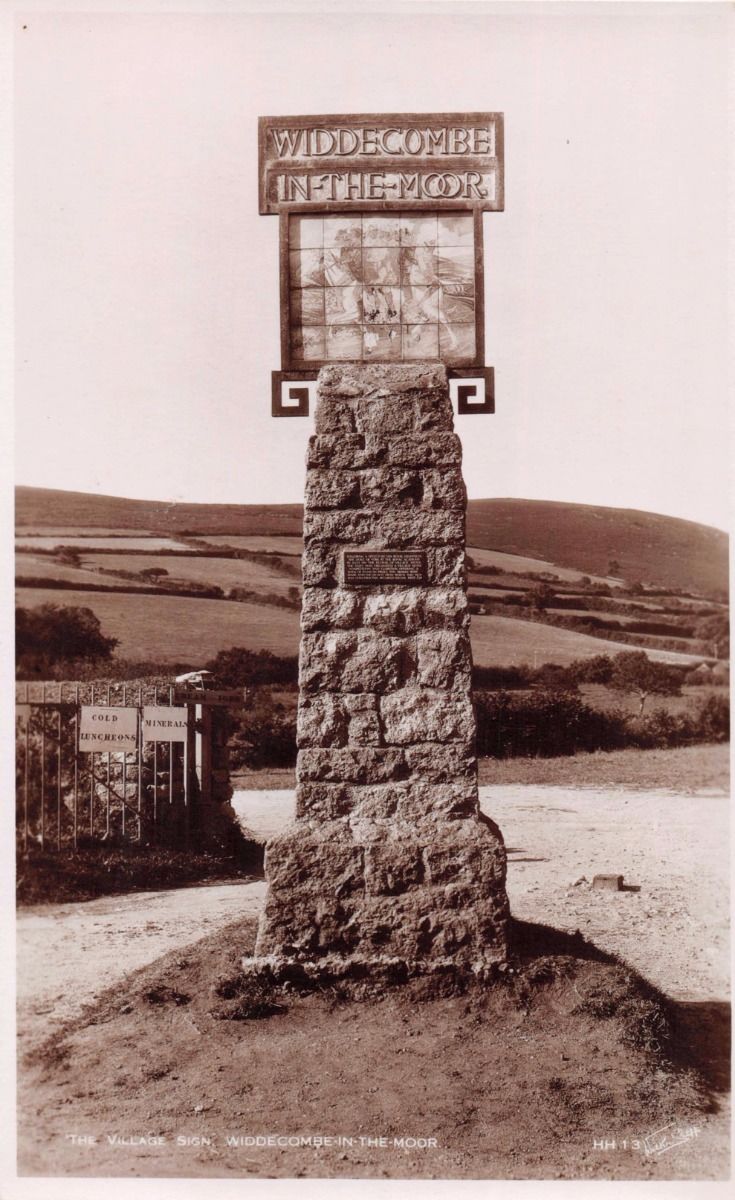
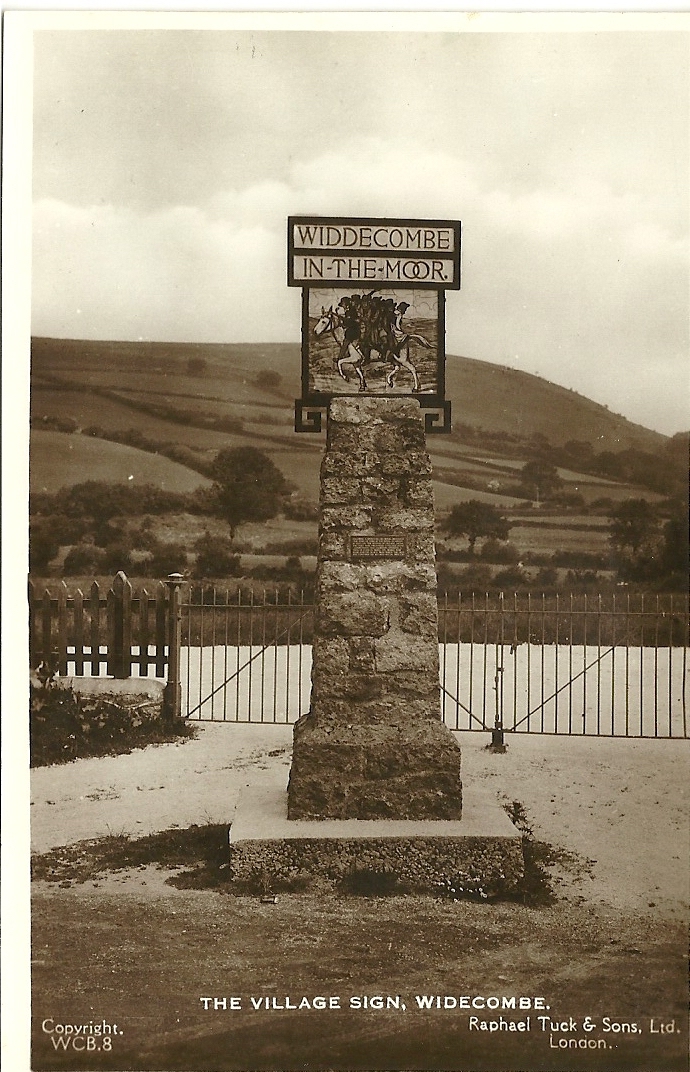
Postcards of the village sign show it variously, and in sequence, with the hedge/bank behind, with an entrance gap behind, with gates behind, with an earth base and with a square concrete base. Whether the sign was moved in between some of these changes is not clear.
What is clear is that the concrete base was a later feature as evidenced by a 1939 photo of people in front of the sign sent in by one of our readers (not shown).
The postcards also show that the sign was a substantial upright made of granite boulders and that was topped with a fairly thin ceramic tile design of Uncle Tom Cobley on his grey mare with a decorative wrought iron motif around it (see the postcard of the side view of the sign with the Wayside in the background.) and ‘WIDDECOMBE IN THE MOOR’ in two separate sections above the ceramic design.
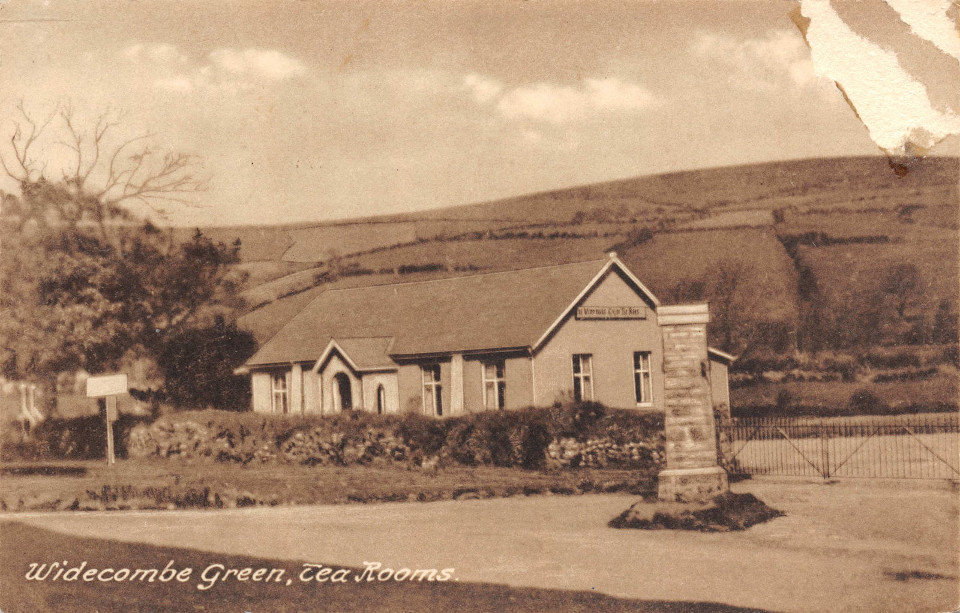
All this is straightforward. However, we came across one postcard which appears quite early in date because it has the earth base visible but there does not appear to be a ceramic design visible. It basically does not fit the pattern. It cannot be a side view because it looks nothing like it should. It also looks nothing like the front-view. It remains a mystery. If you can provide any information about this, please do send us an email.
We know that the sign was damaged during the war, perhaps when the name on the sign was removed as part of the general order to ‘confuse the enemy’, and perhaps when it was completely removed perhaps because larger vehicles needed access to the car park. It certainly appears it was not possible to reinstate it after the war.
The new sign was constructed in 1948 using a design by Sylvia Sayer, which was carved locally. The upright on which the design was mounted was built using the granite from the original sign which must have been kept somewhere nearby ready for re-use. It was positioned safely out of the way on the south side of the green close to the church boundary wall, where it can be seen today, seventy years after it was first erected.
North Hall Café
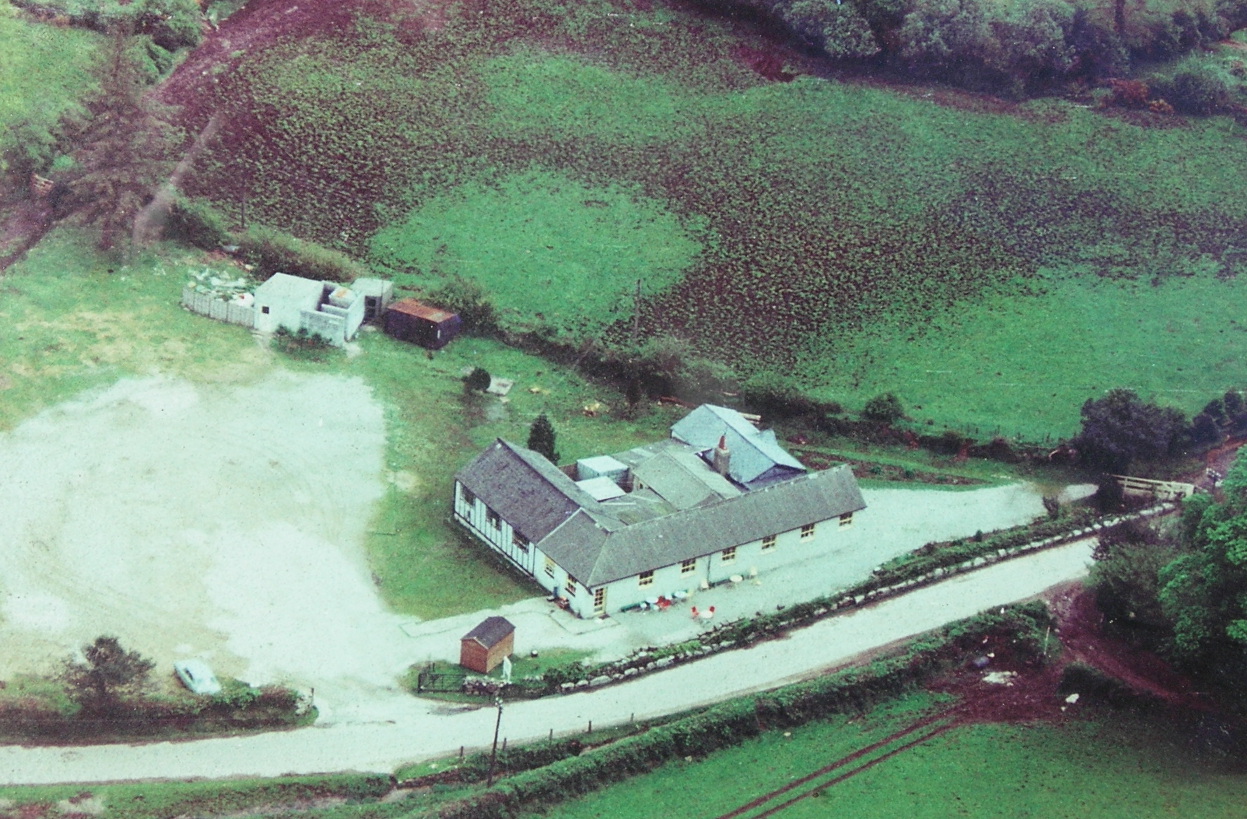
North Hall Café occupied the site where the tennis courts now are. It used to be packed with day trippers until the National Park declared that it was too dangerous/difficult for coaches to turn right around Widecombe Green (close by the Sexton's Cottage) and banned them from going that way. There were probably other reasons for the decline as well but ultimately the café was demolished and its remains buried underground in the general area of the tennis courts and children's play area.
The information on this page was last modified on February 26 2024 16:21:08.